Data goes in. A finished document comes out.
You already have the design. Morfee turns it into a document your systems can fill: paste your HTML, point at what has to come from your data, and one API call gives you the PDF. No layout engine to learn, no template language to write, nothing to install.
14 days to try, and nothing to cancel: an account that is not paid for simply stops rendering. No card, no sales call.
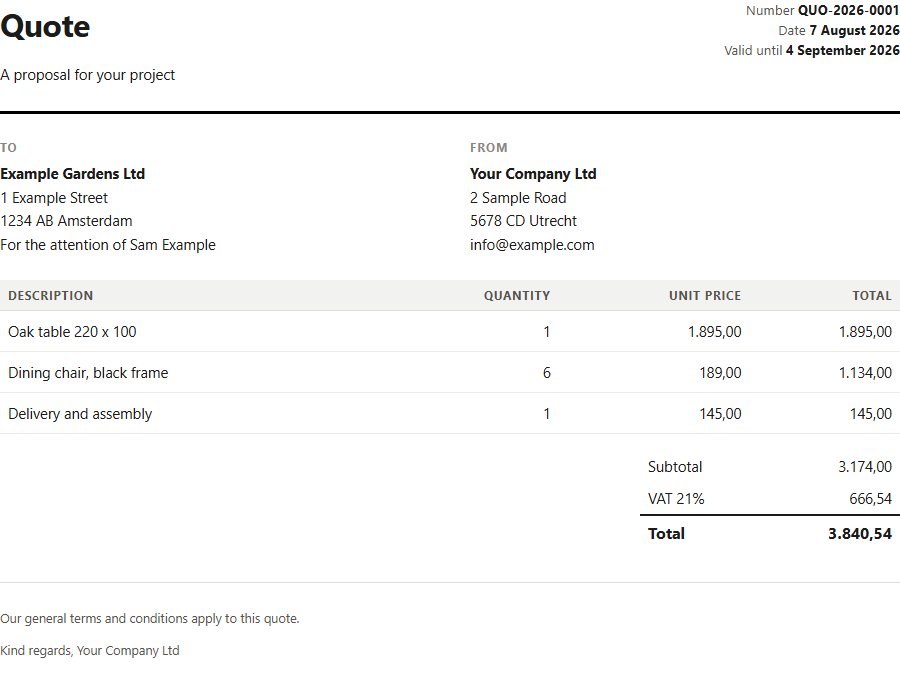
<td>Oak table 220 x 100</td>
<td>1.895,00</td>{ "description": "Oak table 220 x 100",
"total": 1895 }Three steps, once per document type
You do this once for a quote, once for a specification, once for a work order. After that every document of that kind is one call away, from a flow, an app or a script.
Your design and your data, side by side
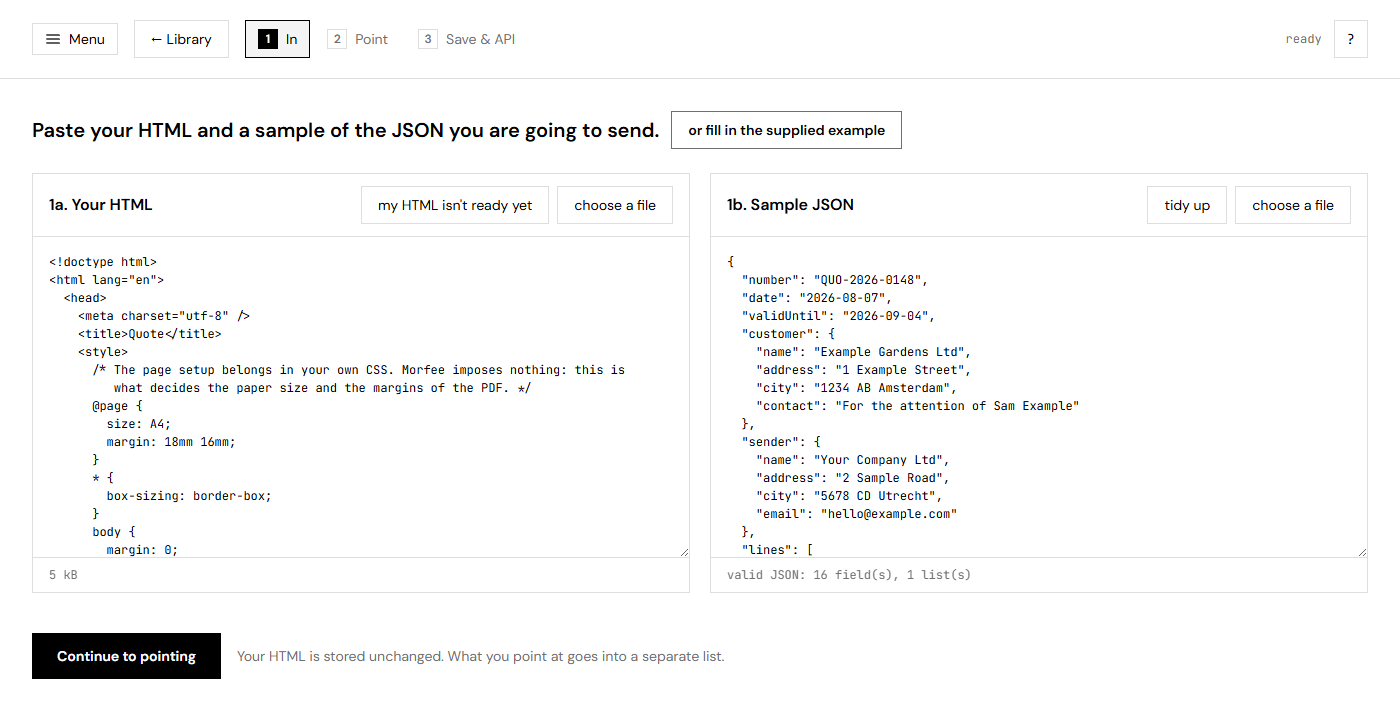
Paste the HTML of the document you already have, or drop the file on it. Next to it goes a sample of the JSON you are going to send. Use real values rather than placeholders: that sample is what makes the next step almost do itself, and it is what you see while you work.
No design yet? There is a supplied example, and a button that hands you a prompt for Claude or ChatGPT that turns HTML you already have into HTML this builder reads well.
Point at what has to come from your data
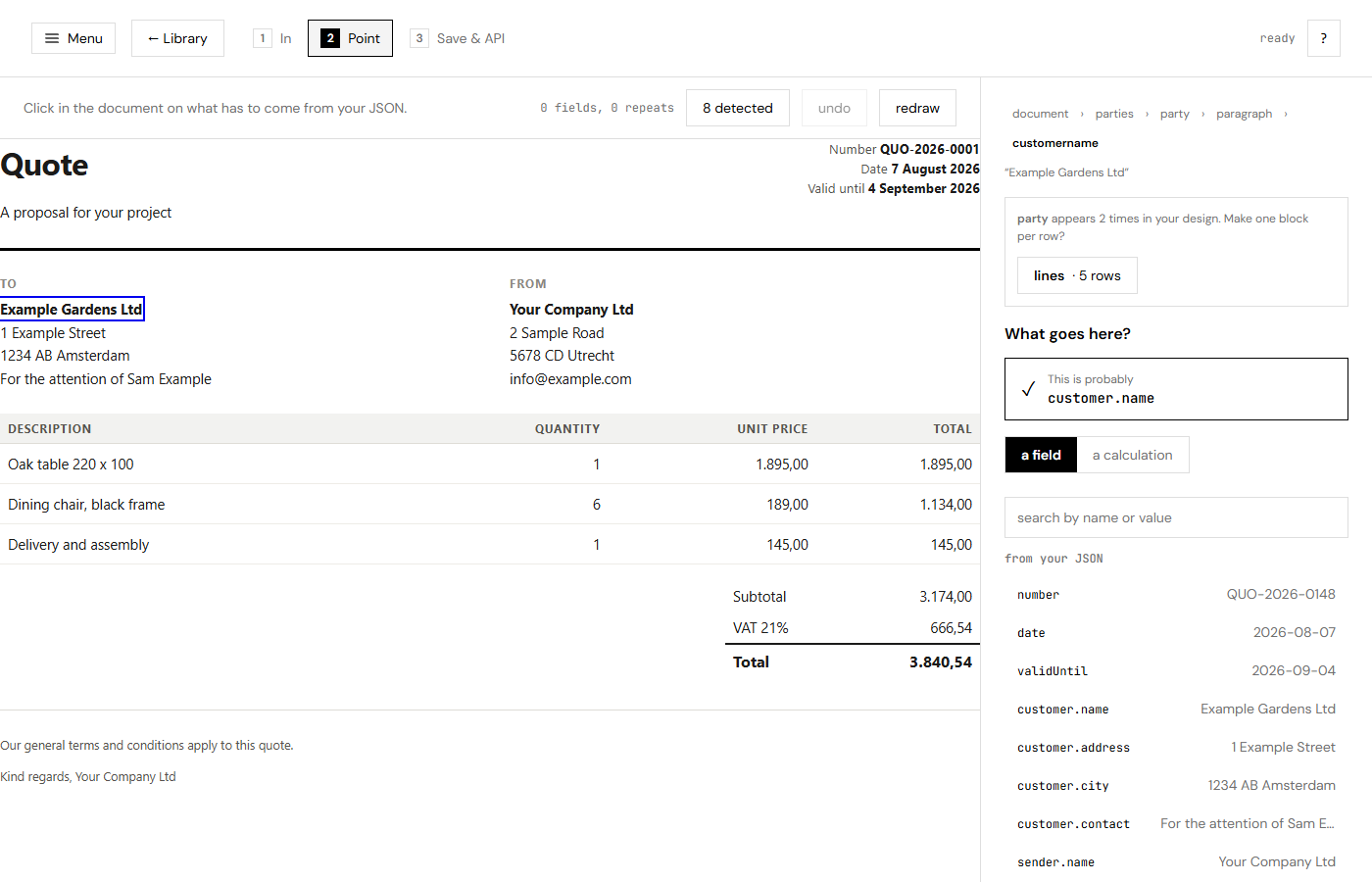
Click something in your document and pick the field it should come from. You see the real value appear in the document straight away, not a grey box with a name in it.
Click a row that appears several times and Morfee offers to repeat it: one block per row from your list. Nested lists work, and so do conditions, formats and calculations over a list.
Most of it is already done before you start
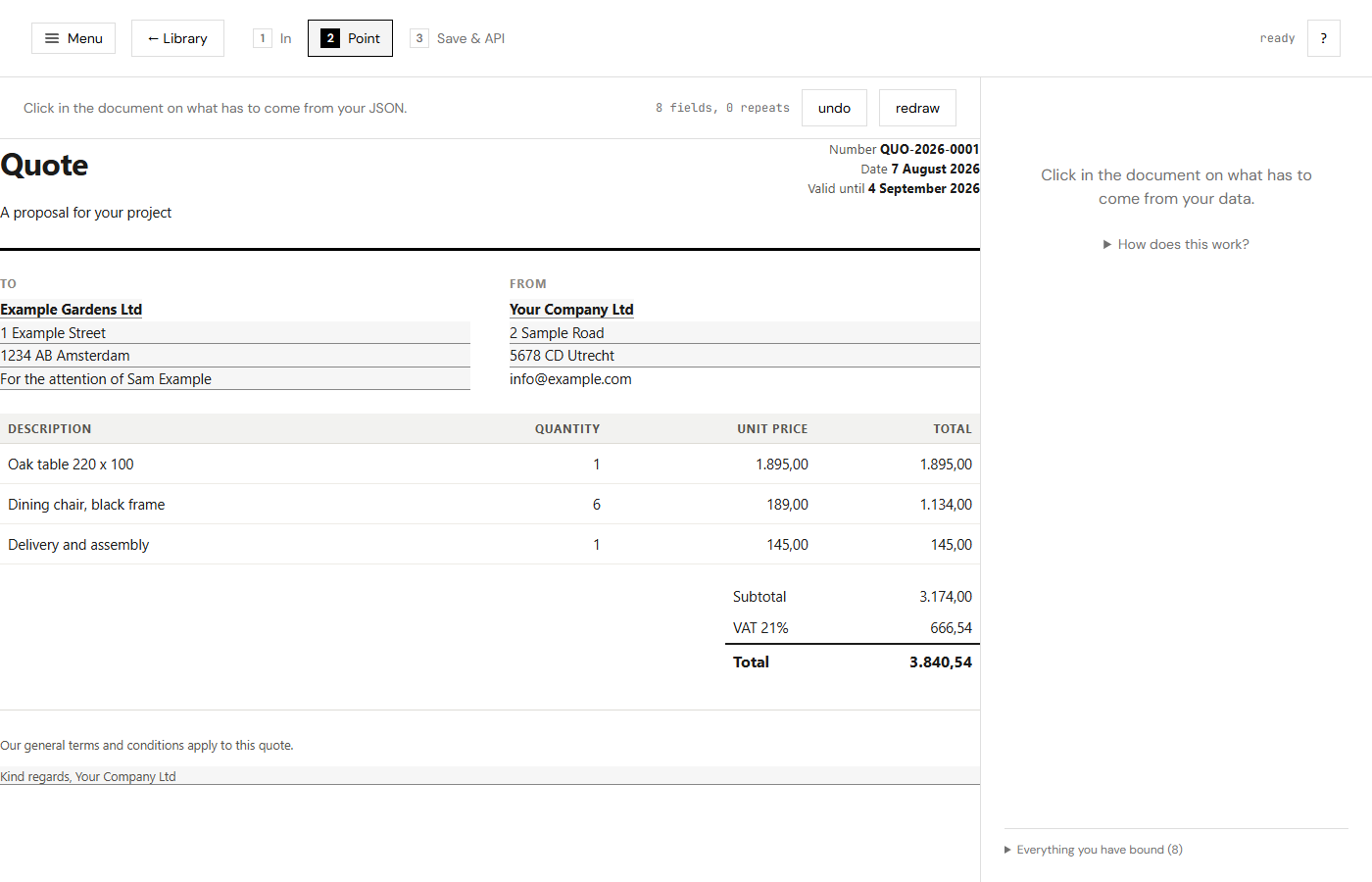
A design is made with example data in it, so the text in your document is often literally the
text in your JSON. Morfee finds those, and one button binds them all. On the supplied example that is nine of
the fourteen fields, formats included: 1.895,00 in the design against 1895 in the
JSON is an amount, and it is set as one.
Save it, and call it
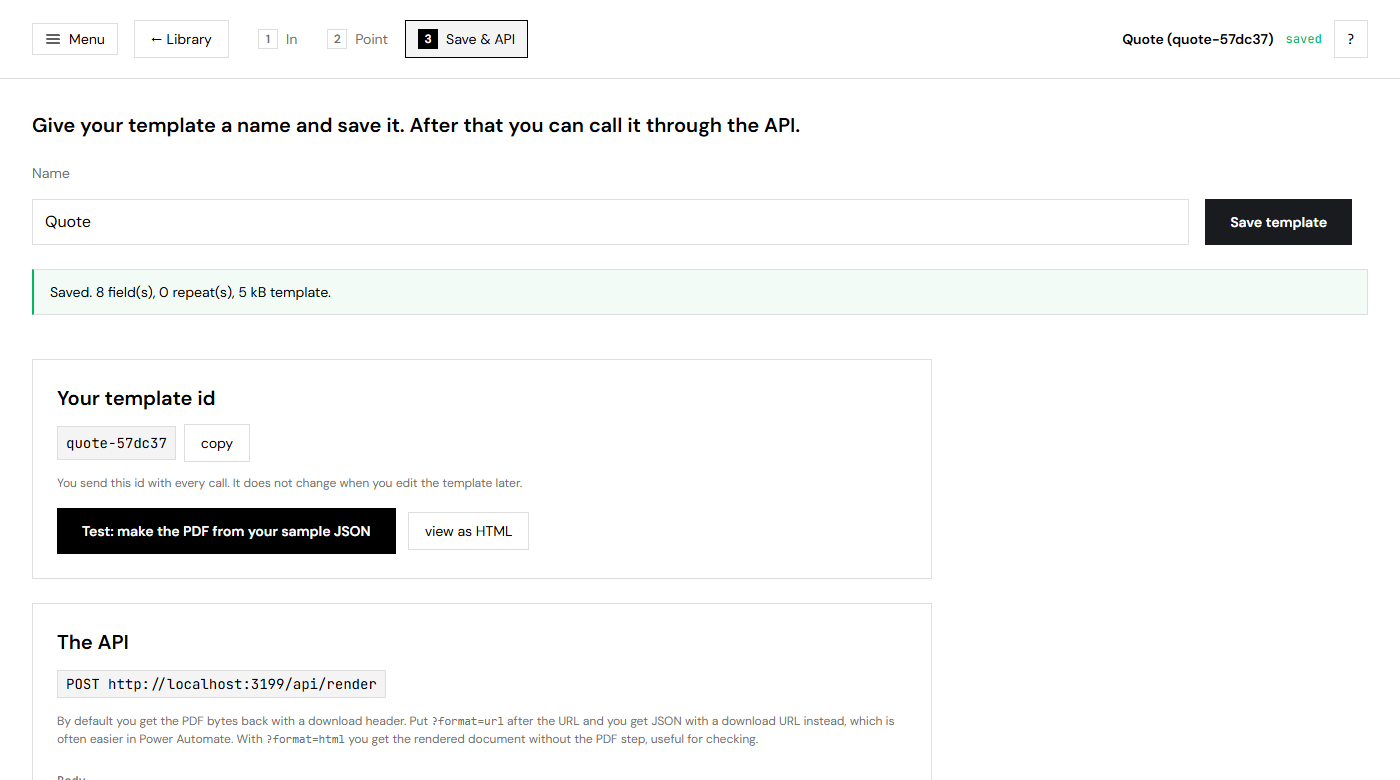
Your template gets an id that never changes. Under it sits the call, ready to copy, plus a button that makes the PDF from your sample JSON so you know it works before you integrate anything.
Editing a template changes every future document of every flow that uses that id, so every save keeps the previous version and any of them can be put back.
One call, from anything that speaks HTTP
You get the PDF bytes back. Ask for ?format=url and you get a download link instead, which
is what you want in Power Automate: no binary content dragged through your flow. There is an MCP server on
the same key as well, so an assistant can make documents without anybody writing the call.
POST /api/render
X-Api-Key: mrf_...
Content-Type: application/json

{
  "templateId": "quote-a3f9c1",
  "data": {
    "number": "QUO-2026-0148",
    "customer": { "name": "Example Gardens Ltd" },
    "lines": [ { "description": "Oak table 220 x 100", "quantity": 1, "unitPrice": 1895 } ]
  }
}
What it does beyond filling in a name
Rows and lists
One block per row, filtered, sorted, limited. An entry may be several blocks, so a specification with the label in one row and the value in the next needs no reworking. Nested lists work: lines inside a group inside a quote.
Conditions
Show a block only when a value is filled, over a number, or equal to something. A discount line that is not there is simply absent.
Calculations
Count, sum, average, highest and lowest over a list, without a formula anywhere in your payload.
Formats
Amounts, numbers and dates in Dutch notation, with a prefix, a suffix and a fallback when a field is empty.
Folders and versions
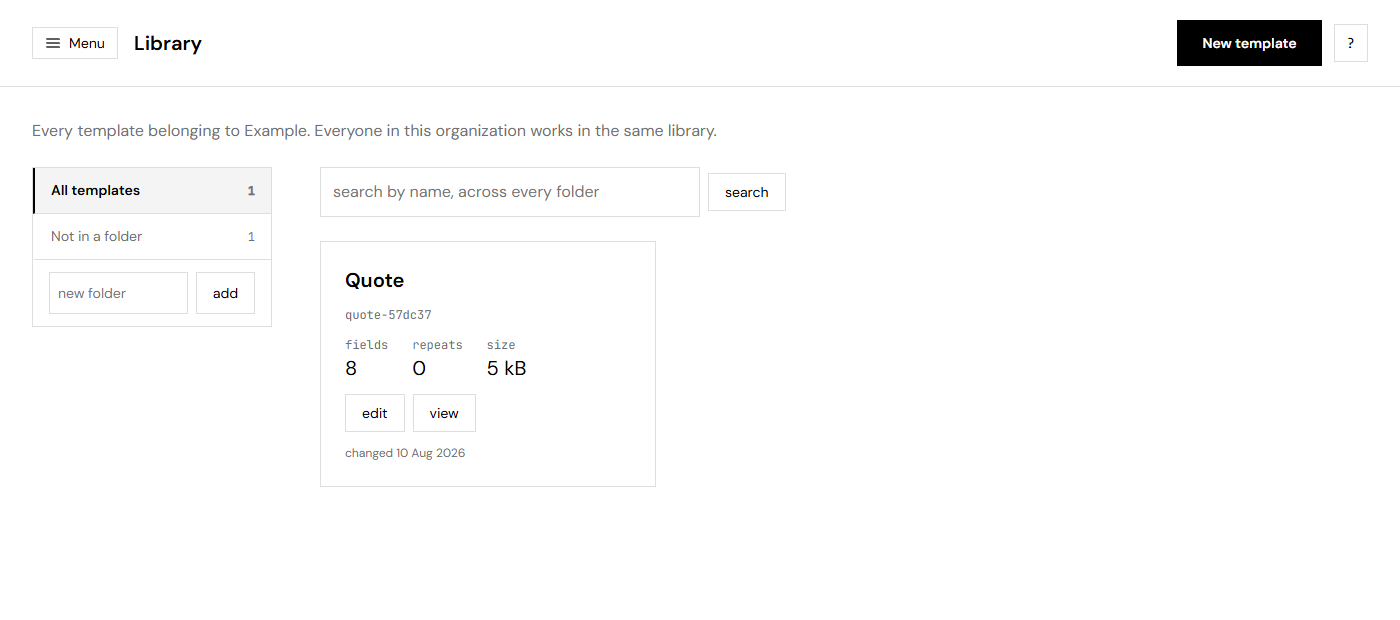
A library everyone in your organization shares, one level of folders, a bin that keeps deletions for thirty days, and every previous version of a template.
Keys per system
One key per flow or app, each revocable on its own. A key reaches your organization and nothing else.
A price you can read in one line
Documents and templates included, a rate per extra above that, and nothing that stops at a wall while you are working. Pay for a year and two months are on us.
- 1 template included
- 25 documents a month
- 14 days, then one of the plans beside it
- 3 templates included
- 2.500 documents a month
- € 0,02 per extra document
- 10 templates included
- 10.000 documents a month
- € 0,01 per extra document
Every plan holds everything: the builder, the API, the MCP server, and as many users as you want. All the details.
Questions people ask first
Do I have to be a developer?
To make a template, no: it is pasting, clicking and saving. To call it, somebody has to make one HTTP request from wherever your data lives. In Power Automate that is one action.
What if my HTML is not tidy?
It usually still works. There is a button in the builder that gives you a prompt to paste into an AI tool together with your HTML; you get back a document that looks the same but that the builder reads well.
Does Morfee change my design?
Never. Your HTML is stored exactly as it went in, and what you point at is kept in a separate list beside it. That is why you can paste a new version of your design and keep your bindings.
Where does it run?
On our own server in Europe, in one container with the browser that makes the PDF. Your templates and the
documents you make are not sent anywhere else, and a document made with ?format=url lives behind
a link that expires.
What happens when I go over my bundle?
You pay per extra document and carry on. Nothing stops halfway through your month. There is a ceiling well above the bundle so that a flow with a bug cannot run up an invoice, and it is on your own page.
Try it with your own document
Paste the design you already have and see it filled with your own data in a few minutes. Signing in is an email address and a link, so there is no password to invent.